Formal Presentations and Workplace Tips

Things to consider before a professional presentation
Who is the audience?

- It is a good idea to obtain some information of the background.
- You will understand what the audience might expect from your presentation.
How big is the audience?
- LARGE: The presentation needs to be concise, direct and fast-paced.
- SMALL: Pace the presentation slowly. Pause it for questions.
What will you present about?
- Select a topic that is of interest to the audience and to you.
- Topics you know, you love, your audience cares about
- Define the objectives. Base the objective and the level of the content on the amount of time you have for the presentation and the background knowledge of the audience.
How long will you speak?

- Knowing exactly how much time you will speak is one of the most fundamental (and important) presentation tips.
Prepare the body of the presentation
- Present data and facts
- Read quotes from experts
- Relate personal experiences
- Provide vivid descriptions
Prepare the introduction and conclusion
Once you have prepared the body of the presentation, decide how you will begin and end the talk.
- Opening- Get attention
- Body- Explain
- Closing- Call to action
Practice delivering the presentation

- You can reduce the number of times you utter words and phrases like um, well, and you know.
- You need to think on how you want to deliver it:
- Speaking from memory
- Speaking from notes
- Speaking from texts
- Using a combination of methods
Body language
Body language comprises gestures, stance, and facial expressions. Effective body language supports the message and projects a strong image of the presenter.
Things to consider of body language
- GESTURE
- STANCE
- FACIAL EXPRESSIONS
- BRING IT ALL TOGETHER
Things to consider about yourself in a professional presentation
- Be sure that you will do it well.
- Always see the audience.
- Interact with the audience (asking questions or telling them if they agree or not).
- Know the subject and be informed about what you will talk about.
- Be clear about the objective of what you will explain.
- Use notes in case you forget something. You can have keywords.
- Speak slowly. This makes you sound calm and safe.
- Vary the tone and level the voice according to what is spoken.
- Meet your audience. Before making a speech, analyze who is addressed and stick to it.
- Consider yourself one more in the audience.
- Practice.
- Use slides.

Things we should not do during a professional presentation
- Do not panic if you make a mistake.
- Avoid making excessive movements with your hands and gestures.
- Avoid talking with the same tone of voice all the time.
- You should not be anxious to finish the presentation.
- Avoid having constant interruptions by your cell phone.
- Avoid using too much the sound “umm and uh” because that will show you are not ready.
- Do not talk too fast or too slow.
- Try not to talk in a boring tone.
Things to consider about the slides in a professional presentation
- Do not put very large images or that do not go with the subject.
- Do not add much information to the slides. The idea is to add images and key words.
- Do not put music in the background very strong or that it does not have to do with the topic.
- Do not make slides with strong, sad or opaque colors. It should be with neutral colors.
- Do not add too much animation to the slides.
Things to consider after a presentation
Presenting an idea or project can be a difficult task, but the moments after presenting, it is also really important.

- Close your presentation the same way as you started.
- Have a Q/A session
- Motivate or invite people to take action.
- Watch the time.
- Business Cards
- Social Media
- Assess how you did.
- Be ready to talk to individuals.
- Thanks Organizers
Gadgets and tips to impact your audience
Gadgets
Smart Kapp: If you regularly present to a team of employees, then you definitely want to consider adding Smart Kapp to your presentation arsenal.

Denon Kudo Presentation Hub: The six-inch wireless device allows presenters to mirror any mobile or laptop screen connected to WiFi and beam their content.
Logitech Spotlight Presentation Remote: This wireless presentation remote will not only allow you to control your entire presentation with one button, but it’ll also set a timer to ensure you stay on track and on schedule.
Lenovo Yoga Tab 3 Pro: The Lenovo Yoga Tab comes with a built-in, rotatable projector that displays up to 70 inches wide, which means all you need to present from anywhere is a blank wall.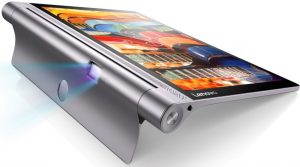
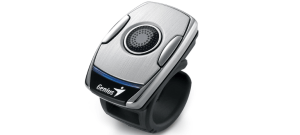
Ring Mouse: It is a simple unobtrusive device that fits on your finger like a slightly oversized ring.
MYO Gesture Controller: One of the newest and coolest gadgets is the MYO armband, a wearable, which senses gestures that can advance slides, zoom, or create a pointer.
Common Devices
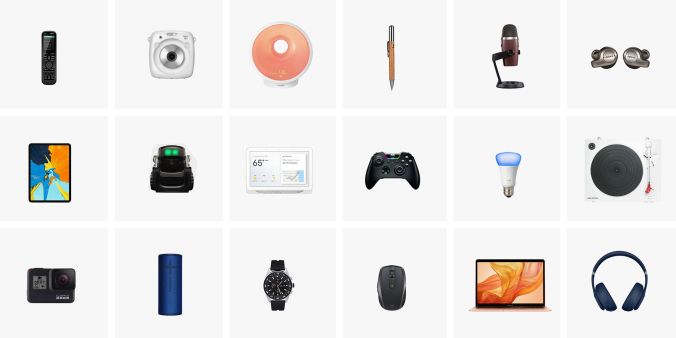
- Portable Speakers
- Smartphone
- Tablet
Tips to impact your audience
- Animations.
- Emphasizing text and images.
- Embed videos in your slides.
- Create charts and graphs.
- animated GIFs.
- Presentation templates/Backgrounds.

Common Tips
- Be engaging.
- Avoid death by PowerPoint.
- Look for a voice coach.
- Tell a memorable story.
- Ask your audience questions.

How to get along with clients
When dealing with clients, we need to know all the types of clients and their characteristics.
TYPES OF CLIENTS
- THE INSECURE They are difficult to work for because they micromanage.
- THE TYRANT They treat their people terribly.
- THE KNOW-IT-ALL This client thinks they know more than you.
- THE BOUNDARY PUSHER They invade your personal life.
TIPS
The main question is: How to deal with them? Here, we have the answers.

- GET TO KNOW YOUR CLIENTS. Sharing non-work information occasionally can strengthen your clients relationships.
- GET TO KNOW THEIR INDUSTRY AND COMPANY. Keep up with your client’s company as well as their industry.
- DO EXCEPTIONAL WORK. The quality of the work you do should be exemplary.
- TREAT CLIENTS AS YOUR MOST IMPORTANT ONE. Provide all clients with your best service. It is important to remember that today`s small companies could be the big companies of tomorrow.
- RESPOND PROMPTLY. When a client emails you, acknowledge the receipt of the email quickly as possible.
- BE MORE THAN AN EMAIL ADDRESS. You can consider a phone call, skype or an in-person meeting to put a face (or voice) to a name.
- ASK FOR A FEEDBACK. Ask them for a feedback to know how you are doing your job.
How to get along with co-workers
Your co-workers are a central part of your work experience, but getting along with coworkers is not always easy. Here, we have several tips.

- Keeping things professional
Keep conversations light. While you want to appear friendly and warm, certain topics should be avoided if you want to escape conflict at work.
- Arrange to socialize during your breaks.
Socializing excessively during work hours sends a message to your boss that you are not a serious worker, and encourages chatty colleagues to eat up your time.
- Avoid being the office gossip, and stay away.
Remember that co-workers who gossip with one another or about the boss likely gossip about you when you are not around, try not to give this type of people personal details about your life that you do not want to spread around the office.
- Be more of a listener than a talker.
Not only you will learn more about your co-workers, but also you will avoid saying the wrong thing.
- Excel in your position
Make yourself indispensable by doing exceptional job at your tasks. This will also keep you busy and help you avoid conflicts with troubling colleagues.
- Show respect for your superiors even if they don’t extend the same courtesy to you.
Sometimes, the co-worker with whom you have the most friction is your own boss.
Harmonious workplace relationships can make going to work a pleasure. Follow these tips to learn how to get along with your co-workers.

Types of Bosses

Within the labor area when we are new, we ask ourselves what type of boss we are going to have. There are many types, some are more relaxed and others are more serious. So, it is important to know and decide how to form the most beneficial possible relationship with them.
- The martyr boss.
He is one of the most dedicated because he is always watching over the interest of his company/ work day or night. This boss usually expects effective work on his employees. It is likely to pass stressed but always willing to help.
- The Screamer boss
None of us would like to have a boss who raises his tone of voice towards us, this boss believes that it is a good way for his employees to work efficiently.
- The fearmonger boss
People do what a fearsome boss says because they are afraid of him, which actually encourages further intimidation.
- The manipulator boss
The manipulator boss is highly focused, very motivated, and always has a secret plan. This type is extremely intelligent and one of the most dangerous.
- The bumbler boss
Unfortunately, there are many managers that are not qualified for their position but still manage to get promoted and hold on to it. This type of manager is incompetent and cannot even manage their own household for that matter.
- Dangerous dictator boss
This kind of boss is always out to humiliate employees who make mistakes and even those without mistakes. He does not appreciate what the employers achieve, but he will always identify mistakes. Employees should look for other jobs with good working environment where the manager can recognize their achievements rather than only concentrate on their mistakes.
- Great boss
This kind of boss does not harass the employees, but rather he motivates them and creates a good environment.
- High achiever boss
This kind of boss is very committed and wants to achieve the best in the department. This boss is very ready to improve his skills and knowledge through training.
- The father figure boss
This kind of boss is ready to listen to the employees’ stories till he gets bored and starts to shout at them.
- Dazed dreamer boss
This boss always dreams to achieve something, but implementing becomes a problem.
- The idiot boss
It is as if he just walked into the office and started running it. It is important to maintain a strong work ethic under this kind of boss.
- The absent boss
This kind of boss is usually absent from the workplace: either working from home, going out for meetings or being most of the time locked in the office. This can be good only for independent workers.


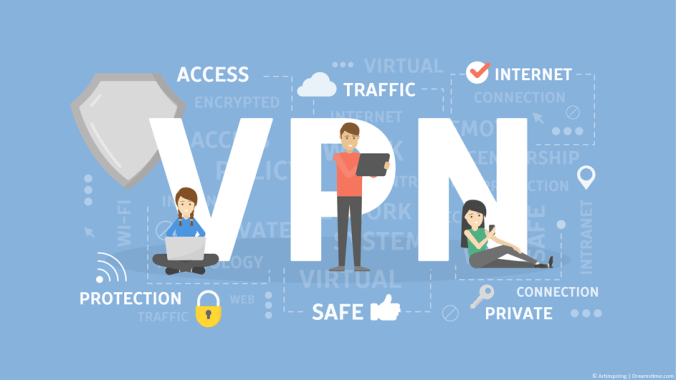
 This is a service that lets you access the web safely and privately by routing your connection through a server and hiding your online actions.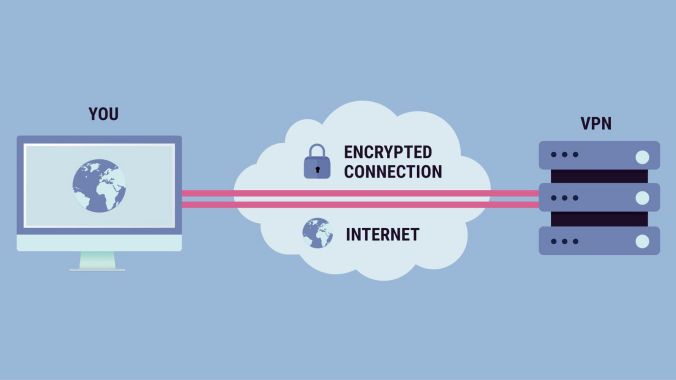






 I consider that Facebook was created with the purpose of communicating and sharing about your life with the people you meet or the ones that you are going to meet while using this social media. The nicest part of using Facebook is that is so manageable. It means everyone from any country can have access and create an account. Spending time on Facebook, at least for me, is one of my favorite hobbies because I can communicate with my loved ones that live so far. However, I remember that last year, I stopped using Facebook because someone else got access to my information, but now, I continue using it carefully. Finally, as an English professional, I would like to make an advertisement making people know about my work.
  Nowadays, Facebook is one of the most known and important social networks around the world. It is so popular that everyone knows about it and even knows how to use it without limitations. It is noticeable that Facebook has improved communication, business, and advertisement fields. Many people have met their relatives that live in another country, many entrepreneurs have expanded their local business and many businesses have become famous while using this social media.


 Its proprietary platform enables members to create, manage and share their professional identities online, build and engage with their professional networks, access shared knowledge and insights, and find business opportunities.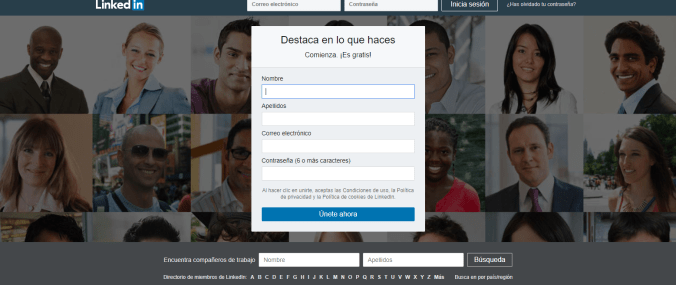

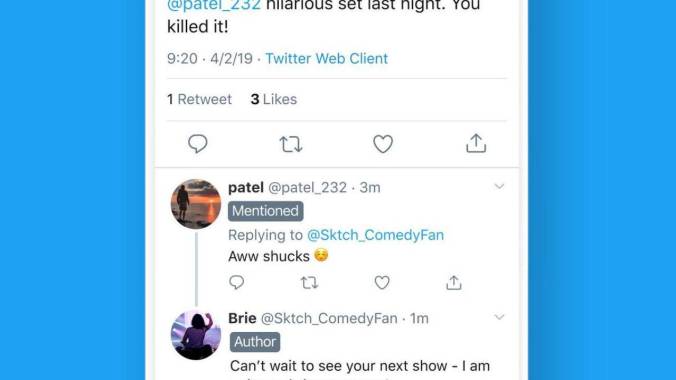
 Twitter is a microblogging system that allows you to send and receive short posts called tweets. Tweets can be up to 140 characters long and can include links to relevant websites and resources.



 According to Forbes magazine, Instagram is not just a social networking app made for sharing photos and videos from a smart phone. Still, behind Facebook regarding the number of users, Instagram images though get an average of


 No matter if you take your smartphone as a consumer or just for having fun, the rules of the game still applying and shaping the way you crave, you interact, and you build behavioral patterns.
  These numbers speak about the incredible power of the tool. But with globally 41 percent of users under 24 years old and awarded as the preferred social network of teens, there is a reasonable growing surveillance of possible impacts of the network on well being and mental health.
  I would like to use Instagram for sharing about me, my interest and the experience when learning a new language that is English. I could tell how I decided to learn and how difficult it was for me. I could also explain why I was so interested in it. Finally, I could share all the knowledge that I have obtained during this experience. That is why, I consider Instagram as the most appropriate social network.



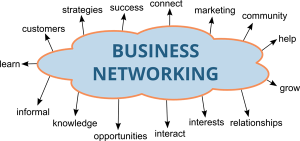
 Networking





















 For looking after more about your technology, devices and your personal information in order to avoid cyber attacks, you need to change certain aspects related to the use of your devices.
 Iris' Blog